Links for May 5, 2005
- Enable Monitor Rotation on your Powerbook OS X 10.4 can rotate the screen orientation
I installed Tiger on April 29. My existing 10.3.9 installation was fully backed up to a bootable Firewire drive, so I wasn’t worried about losing anything or reverting. Despite having developer access to 10.4 for almost a year, I didn’t run it on anything but a beaten-down iBook, and really didn’t spend much time with that either. If I were only doing FXScript, I probably should have waited until FCP 5 shipped before moving up, but I need to know about 10.4 in I can answer questions and eventually upgrade the machines at IOP. Mostly though my curiosity had me installing Tiger right away.
The first thing I noticed when I opened FCP4.5 in 10.4 was the wrong color debugging text in the filter I’ve been working on for the past few weeks. What should have been white was yellow, with chunky pixelated edges. This caused a small amount of panic while thinking all my text-drawing routines would be broken. (they weren’t)
What I’ve found is that DrawString and DrawStringPlain break when applied to an FXScript image buffer which has been affected by several FXScript image processing functions, this one used LevelMap. It doesn’t make any difference whether the levelmap changes anything or is a clean linearRamp passthrough. The problem only happens in ‘naive’ color space, that pseudo-RGB space FXScript uses when YUVaware isn’t declared at the beginning.
Here’s what the text looks like in FCP4.5 running under 10.3.9 with QT6.x:

And here’s the same text in FCP4.5 running under 10.4 with QT 7:

There’s one other wrinkle, enabling transparency with exposedbackground=1; causes several of DrawString’s outputs to disappear while DrawStringPlain’s results punch out to transparent.
It’s not just white that’s affected. Here’s a quick chart of what happens to the various color constants:
| Color | DrawString | DrawStringPlain |
|---|---|---|
| kBlack | invisible | blue* |
| kWhite | yellow w/ white edges | white |
| kGray | dark yellow w/ gray edges | pale bluish violet |
| kred | black w/ blue edges | blue |
| kGreen | invisible | magenta* |
| kBlue | invisible | Cyan* |
| kCyan | invisible | white* |
| kMagenta | green w/ cyan edges | cyan |
| kYellow | red w/ magenta edges | magenta |
* transparent
semi-transparent
I tried a bunch of other generative functions; FillPoly, DrawSoftDot and BlitRect, but none of those showed any adverse effect. Other processing functions did produce similar results. Several Convolve kernels caused problems, but it was hard to pin down when they’d break.
So the solution is to just set the effect to be YUVaware. The good side of all of this is that working in YUVaware generally gives effects a measurable speed increase. Still, this problem does cascade through subsequent effects, so it’s something to watch out for.
 Download the simple filter I used to isolate the problem: LevelMap & DrawString Color Bugs.fxscript (1k) Please let me know what you see if you try it out.
Disclaimer: This effect simply demonstrates a visual problem with FCP 4.5HD and MacOSX 10.4 Tiger. It can’t damage your computer. Still, this is offered as-is, with no warranty of any kind, implied or otherwise.
There were a ton of things I forgot to do before updating to Tiger. Since I chose Archive & Install, a lot of UNIXy things didn’t transfer over. Thankfully I created a full, bootable backup of my 10.3 disk before installing, so recovering the missing parts hasn’t been too difficult.
A long, long time ago, when computers had to be restarted every 10 minutes, I’d learn how to do things by constantly doing them again and again. Here in the future, I set up CVS once after WWDC last year, and it’s worked ever since.
Steps to rebuild my CVS repository:
cp in the terminal).sudo chmod -R g+w on the CVS repository to set all the files to the correct permissions.Everything seems to be working, file revision histories are intact and I can forget about all of this for another 18-24 months until 10.5 comes out.
Update: WordPress or my server was barfing on this post, so I’m editing it to refresh the database
In 10.3, I had hacked Mail.app to display a widescreen view. It really helped me get close to having a handle on my mail, and was a far better use of my PowerBook’s widescreen than the standard stacked three-view. No luck so far in 10.4. Something about Tiger Mail’s custom ‘ExpandingSplitView’ keeps expanding the splitter to fill most of the window when it’s switched to a vertical split.
update: Still not working, but I’ve found that the width of the splitter bar is tied to the height of the window.

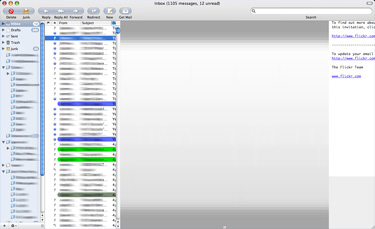
update: I’m putting this away for a while. No luck and I’m suspecting the splitter is somehow glued into the application code. If so, it’s probably never going to work from an Interface Builder hack, short of re-building the whole nib (no, I will not try to rebuild the whole nib anytime soon, no no no…)
Final update There’s now a widescreen addon for mail.
