Joe's Filters: Joe's Saturation & Colorize
A plugin for Final Cut Pro to saturate, desaturate or colorize images towards a specific hue.Visit the New FXScript Reference and Joe's Filters sites. These pages will be phased out soon and may already be out of date.
Joe's Saturation & Colorize is a part of Joe's Filters, a shareware package of utility and image processing tools for Final Cut Pro.
What it does
Joe's Saturation & Colorize saturates, desaturates or colorizes an image to a specific hue. Color-targeted desaturation can produce results similar to the look of Black and White film shot through a colored glass filter.
Because Final Cut Pro's built in Tint filter does a good job of recreating a traditional colorize effect, Joe's Saturation & Colorize uses a different method of colorization, combining channels to build a resulting image from a mix of the two encompassing primary hues.
Joe's Saturation & Colorize grew from and replaces Joe's Radial Desaturate. The new filter adds the ability to saturate the image, makes colorizing an option, fixes bugs and simplifies the plugin's controls.
Example Images
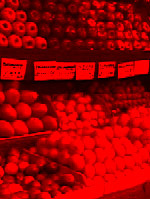
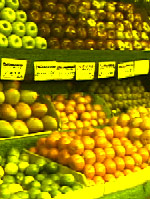
The images below show the range of results possible depending on the selected Hue Angle:
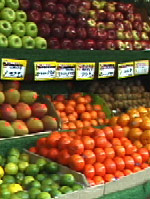 Original Image |
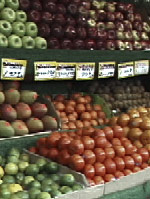 Hue Angle: 145° Saturation: 50% |
|
 Hue Angle: 0° Saturation: 0% |
 Hue Angle: 0° Saturation: 150% |
|
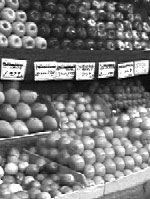 Hue Angle: 60° Saturation: 0% |
 Hue Angle: 60° Saturation: 150% |
|
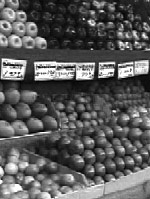 Hue Angle: 120° Saturation: 0% |
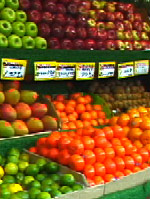 Hue Angle: 120° Saturation: 0% |
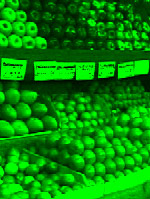 Hue Angle: 120° Saturation: 100% Colorize |
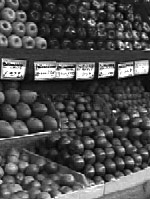 Hue Angle: 180° Saturation: 0% |
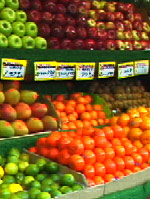 Hue Angle: 180° Saturation: 0% |
 Hue Angle: 180° Saturation: 100% Colorize |
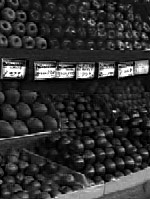 Hue Angle: 240° Saturation: 0% |
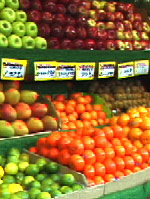 Hue Angle: 240° Saturation: 0% |
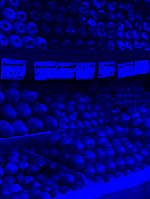 Hue Angle: 240° Saturation: 100% Colorize |
 Hue Angle: 300° Saturation: 0% |
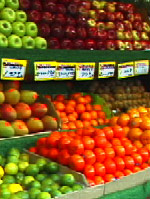 Hue Angle: 300° Saturation: 0% |
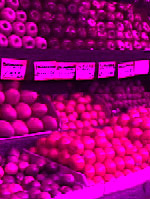 Hue Angle: 300° Saturation: 100% Colorize |

The Controls
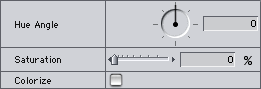
- Hue Angle (-360 - 360°)
Specified the color mix to use for saturation or colorization adjustments. Red is 0°, Green is 120° and Blue is 240°.
-
Saturation (0 - 1000%)
Chooses the amount of color intensity in the image. At 100%, the image is unchanged, less than 100% desaturates, greater than 100% saturates. When Colorize is checked, the image is unchanged at 0%.
- Colorize
When checked, the slider becomes a colorize control. 100% replaces all color in the image with the selected hue while maintaining overall luminance. 0% is the original image. Values over 100% add color to the image eventually blowing out the entire image.
Out of Range Colors
The Saturation and Colorization options in Joe's Saturation and Colorize can produce colors well outside of the broadcast safe gamut. At high Saturation values, the entire image will likely be illegal. If you're producing for broadcast, stay away from the high-end of the Saturation input and check your output levels.
Joe's Filters for Final Cut Pro
Joe's Filters
Joe's Filters Related
FXScript for Final Cut Pro
Joe's Debug and Explore Filters
Final Cut Pro tips
Film & Video
Recording the sound of
one eye blinking
Photography
Projects
Final Cut Pro
Design
WRITING
Site Notes Archive (weblog)
Web Resources
About Joe Maller
Past Home Pages Etc.
Search joemaller.com
Contact Me